SketchUp IFC
IFC from SketchUp that other programs can read.
SketchUp exports IFC, but unless you classify the groups most of them come out as IfcBuildingElementProxy; the program reading it cannot tell a wall from a slab. The Constructio extension gives every group the right IFC class, material and name, and lists what is missing.

Classification
Give the selected group a type: wall IfcWall, slab IfcSlab, column IfcColumn, beam IfcBeam, door IfcDoor, window IfcWindow, space IfcSpace, storey IfcBuildingStorey. Material and thickness go into the name and the attributes; joinery parts (frame, glass) are not counted as elements.
Check
The Check section shows the model as a tree:
- Untyped groups and elements without a name
- Groups that are not closed (their volume cannot be measured)
- Elements that belong to no storey
- “Show” isolates the element, Esc brings everything back
What happens to the IFC on the website
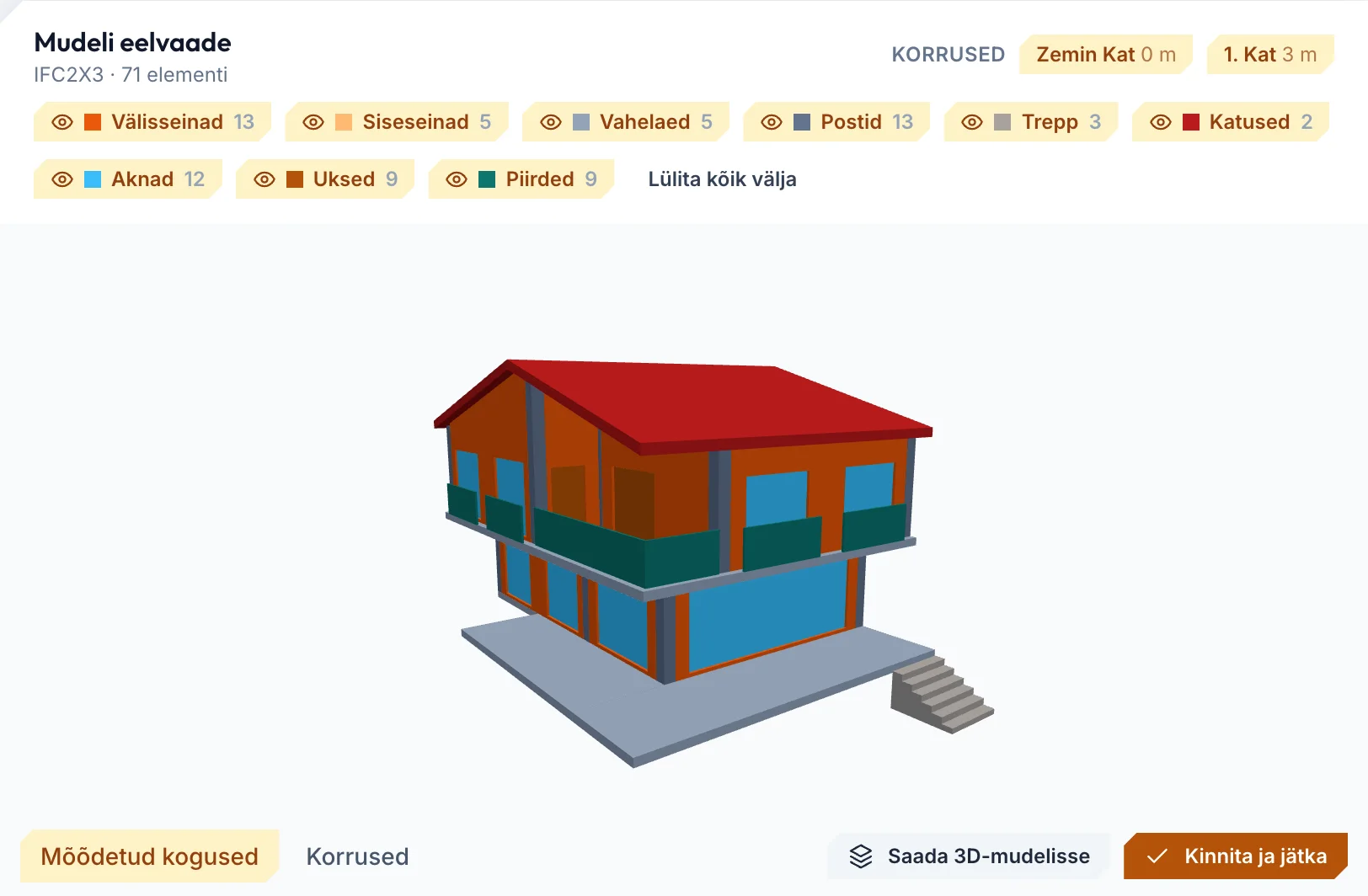
The IFC file is read in your browser (it is never uploaded): quantities storey by storey, rooms and issues in their own tabs; the model goes to the 3D viewer and to a plan cut at 1.6 m. IFC from Archicad, Revit or any other program is read the same way.
Hea teada
- IFC export is SketchUp Pro's own feature; the extension prepares the class, the name and the attributes.
- The Revit and Rhino add-ins are coming soon; today you can upload IFC from those programs.
Korduma kippuvad küsimused
IFC2x3 or IFC4?
Whatever SketchUp exports. The website reads IFC2x3 and IFC4 files.
What happens to elements that arrive as proxies?
If the type can be read from the name it counts as that type; if not it stays out of the take-off and is listed under “Issues” — never dropped silently.
Is my file uploaded?
No. The IFC is read in your browser; only the measured totals, the issue list and a compressed copy of the geometry for the 3D view go to the server.
Proovige oma esimeses projektis.
Vaadake, mida tasuta pakett hõlmab; valige ehitusmeeskonnale Litsents, joonistele Pro ja DWG-joonistele AI Pro.
Tasuta €0 · 30 päeva Litsents €19 kuus Pro €30 kuus AI Pro €50 kuus Ettevõte Võtke meiega ühendust
Inglise, türgi, eesti, saksa ja hispaania keel, hele ja tume teema. Iga meeskonnaliige kasutab, mida eelistab.