Share the model
Share the 3D model without sending the file.
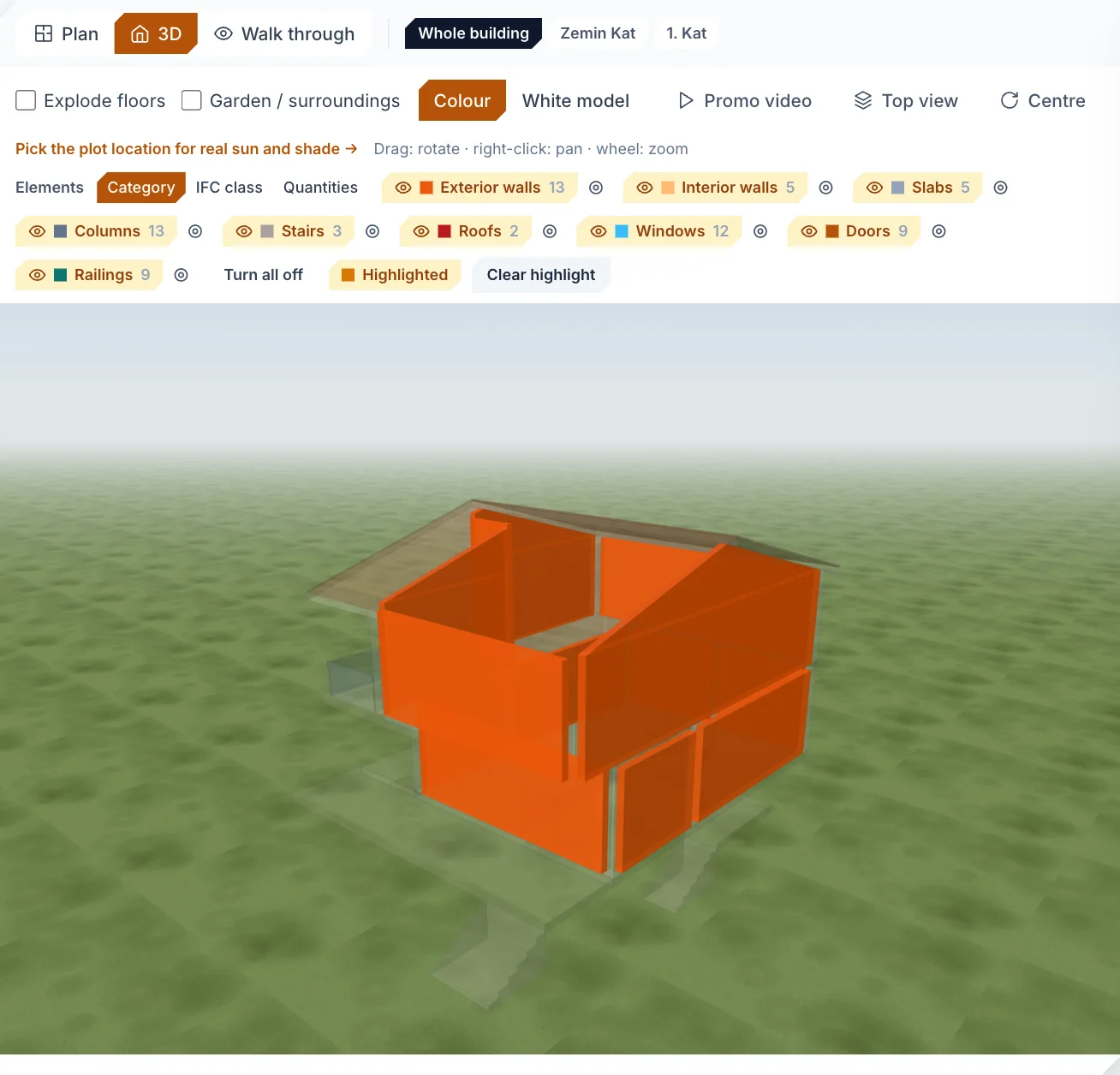
Bring the model into Constructio from SketchUp, Revit or Archicad as IFC and create a view-only link on the project's 3D page. Your client or consultant opens it on the web or in the Constructio app and sees the model and the section plan — never your costs, your work plan or your team.
How it works
- Bring the model in: open an IFC file from any program on the project's IFC page, or press “Send to the site” in the SketchUp extension. The 3D view is the file's own geometry; every storey also comes as a plan cut at 1.6 m
- On the 3D page, “Share the model”: 7, 30 or 90 days or no end date, with an optional note
- Copy the link or send it over WhatsApp or e-mail from your own phone; Constructio sends no e-mail on your behalf
- The recipient opens the link in the app (App Store, Google Play) or with “View on the web”, and signs in or creates an account
What they see and what they do not
- They see: the 3D model and the section plan, read-only; in the app also walking through with their fingers, the element filter and measuring
- They do not see: costs, quantities, the work plan, purchases, payments, documents or the team
- The plot location is rounded to about 1 km for the sun; images cannot be downloaded
- They do not count towards your accounts and need no plan of their own
Then
Close the link whenever you want: everyone who came through it loses access; you can also remove one person. Upload a revised IFC and the model built from the previous file is replaced, so the same link shows the new model. Invite the person to the team with a role later and their access is raised to that role.
Good to know
- The link is the key: while it is open anyone who has it can join, so send it only to the person it is for.
- To share, you are the owner of the project or a member who edits every work group.
- The recipient has a Constructio account (signing up is free); no e-mail confirmation is needed.
Frequently asked questions
Does my client need SketchUp or a paid plan?
No. The model opens on the web or in the Constructio phone app; the viewer needs no plan of their own and does not count towards your accounts.
Can they see my prices?
No. Only the 3D model and the section plan open; costs, the work plan and every other section are closed to a viewer.
How do I stop sharing?
Press “Close sharing” in the share window on the 3D page; the link stops working and everyone who came through it loses access. A link with an end date closes by itself.
Does it cost anything?
Sharing is in every plan. The Free plan opens one project for 30 days with no card; after that the License is €19 a month.
Related pages
Try it on your first project.
Look at what the free plan covers; choose the License for your site team, Pro for drawing sheets and AI Pro for your DWG drawings.
Free €0 · 30 days License €19 a month Pro €30 a month AI Pro €50 a month Enterprise Contact us
English, Turkish, Estonian, German and Spanish, with a light and a dark theme. Each team member uses what they prefer.